Import Your Data
Bring bookmarks, Raindrop exports, or a Teak archive into your library
Teak can import links and cards from a browser bookmarks export, a Raindrop.io CSV export, or a Teak data archive. Imports are available from Settings in the web app.
Start an Import
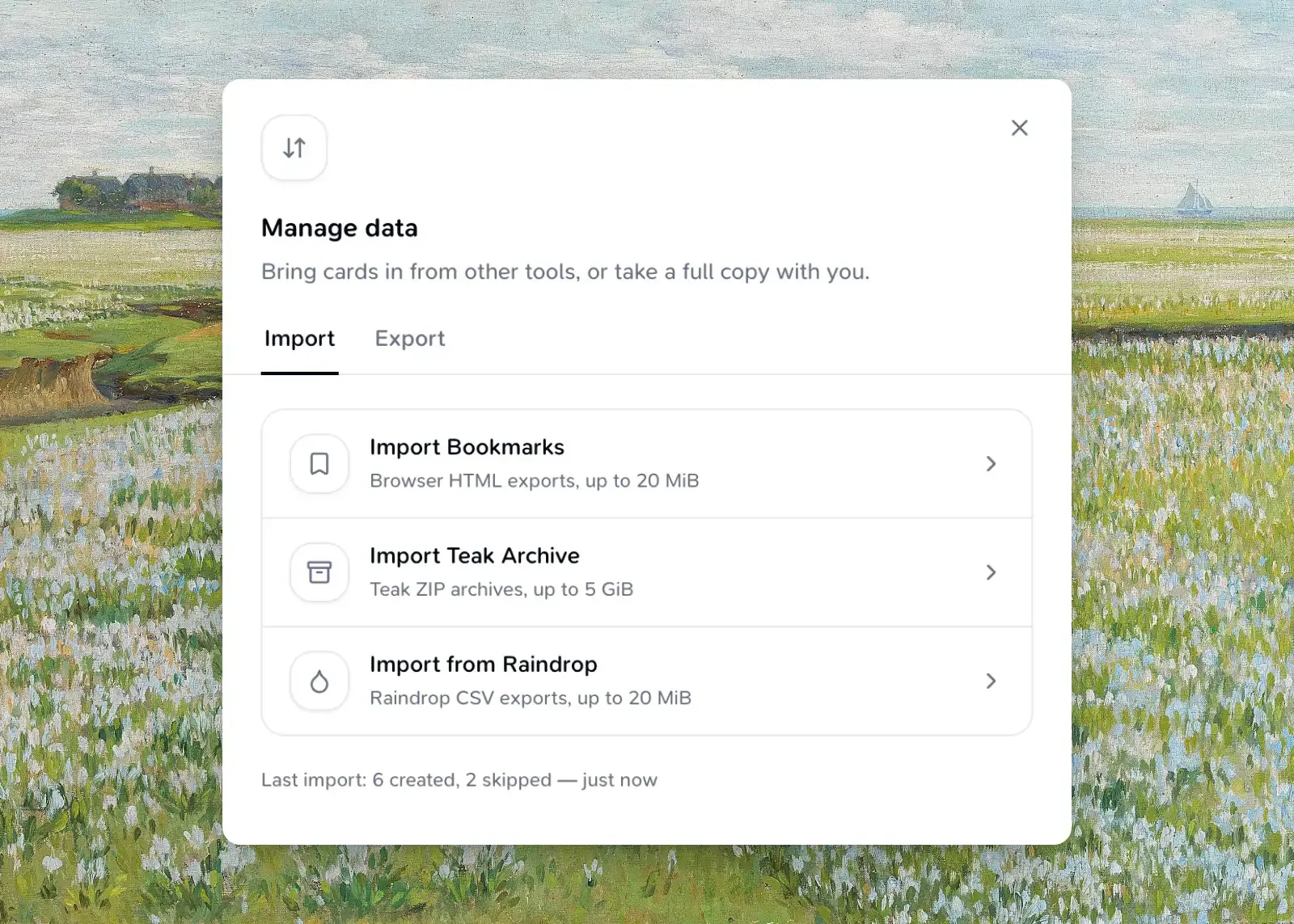
Open Import
Open the Teak web app, then find Import/Export Data and choose Manage.
Choose a mode and file
Choose Import Bookmarks, Import from Raindrop, or Import Teak Archive, then choose your file.
Start import
Choose Start import to begin. Progress updates live as Teak parses the file and creates cards.
You can cancel an import while it is uploading or in progress. If your browser closes or reloads mid-upload, reopen the dialog and choose Resume upload to continue from where it left off.
Import Modes
| Mode | Source file | What comes in |
|---|---|---|
| Import Bookmarks | An HTML bookmarks export from any browser (.html) |
Each bookmark becomes a link card. Folder names become tags, and the original save date is preserved when present. |
| Import from Raindrop | A Raindrop.io CSV export (.csv) |
Each row becomes a link card with its title, notes, tags, folder (as a tag), favorite status, and saved date. |
| Import Teak Archive | A ZIP archive previously downloaded from Export Your Data (.zip) |
Cards are recreated with their original type, content, tags, notes, favorite status, palette colors, and attached files. Older archive document cards backed by .md or .markdown files become editable text cards with their raw Markdown and original source attachment. |
Duplicate Handling
Before creating a card, Teak checks whether a non-deleted card with the same URL already exists in your library. Matching items are skipped and counted separately from created and failed items — they do not create a duplicate card.
Bookmark and Raindrop files can also contain duplicate links within the same file; only the first occurrence of a URL is imported, and later occurrences are skipped.
Limits
| Limit | Details |
|---|---|
| File size | 20 MiB for bookmarks HTML and Raindrop CSV; 5 GiB for a Teak archive. |
| Cards per import | Up to 10,000 items in a single file. |
| File attachments | Each file inside a Teak archive must be 20 MiB or smaller and present in the archive; otherwise that card fails to import. |
| Markdown text | Imported .md and .markdown content must be valid UTF-8 and no larger than 512 KiB. |
| Concurrent imports | One import can run at a time. |
After an Import Finishes
Teak shows how many items were created, skipped, and failed. If any items failed, you can copy or download a text report listing each one and the reason it could not be imported.
Troubleshooting
My import failed immediately
Confirm the file matches the selected mode: bookmarks HTML, Raindrop CSV, or a Teak-exported ZIP. A wrong format or incompatible archive fails before cards are created.
Some items were skipped
Skipped items already exist in your library with the same URL. This is expected and does not indicate an error.
Some items failed
Open the import error report to see whether each item had an unsafe URL, exceeded a limit, or was missing from the archive.
My upload was interrupted
Reopen Import/Export Data and choose Resume upload with the same file.
Still stuck?
Reach out via Support.