WebMCP
In-browser WebMCP tools that search, read, save, tag and favorite cards in the signed-in Teak web app
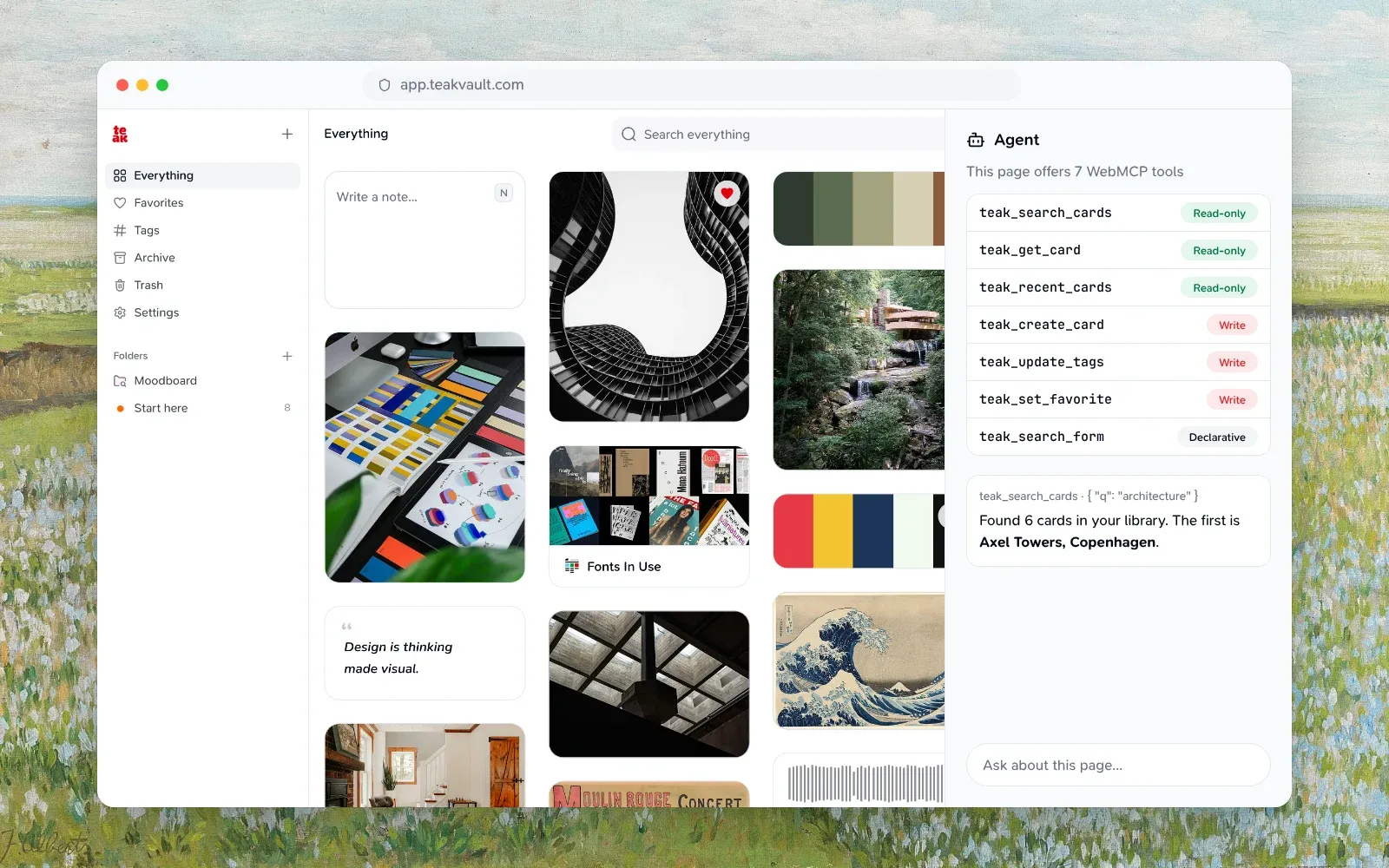
Teak’s web app exposes WebMCP
tools in browsers that ship the draft document.modelContext API. Unlike the
remote MCP server, these tools run inside your signed-in browser
session, so an agent helping you in the Teak web app needs no extra sign-in or
API key.
Requirements
- A browser with the draft WebMCP API. As of September 2026 this is Chrome’s WebMCP preview behind its experimental flag.
- A signed-in Teak web app session. The tools query your cards with your session and are registered only while you are signed in.
Available tools
The page registers seven tools: six imperative tools and one declarative search form.
| Tool | Kind | What it does |
|---|---|---|
teak_search_cards |
Read-only | Search your cards |
teak_get_card |
Read-only | Read one card |
teak_recent_cards |
Read-only | List your newest cards |
teak_create_card |
Write | Save a text, quote or link card |
teak_update_tags |
Write | Add or remove tags on a card |
teak_set_favorite |
Write | Favorite or unfavorite a card |
teak_search_form |
Declarative | Fill in and submit the search box |
limit is 1 to 50 and defaults to 20 wherever a tool takes it, and type accepts text, link, image, video, audio, document, palette, or quote. A CardSummary is { id, type, title, url, excerpt, tags, isFavorited, createdAt, updatedAt }.
Read tools
teak_search_cardsRead-only- Input:
{ q?: string, limit?: number, type?: string, favorited?: boolean } - Output:
{ items: CardSummary[], total: number }. Omitqto list recent cards.
- Input:
teak_get_cardRead-only- Input:
{ cardId: string } - Output: the card’s summary plus
content,contentTruncatedandnotes, ornullwhen the ID does not exist.
- Input:
teak_recent_cardsRead-only- Input:
{ limit?: number, type?: string } - Output:
{ items: CardSummary[], total: number }, newest first.
- Input:
Write tools
teak_create_cardWrite- Input:
{ content: string, type?: "text" | "quote" | "link", url?: string, notes?: string, tags?: string[] }.typedefaults totext. - Output:
{ id, type, url, tags }for the new card. Teak processes it in the background, as it does any card you save.
- Input:
teak_update_tagsWrite- Input:
{ cardId: string, add?: string[], remove?: string[] }. At least one ofaddorremovemust list a tag, and a tag can’t be in both. Tags match ignoring case, and tags you don’t mention are kept. - Output:
{ id, tags }with the card’s tags after the change.
- Input:
teak_set_favoriteWrite- Input:
{ cardId: string, favorited: boolean } - Output:
{ id, isFavorited }.
- Input:
Declarative search
The search box on the home page is annotated as the declarative teak_search_form
tool. Its name stays distinct from the imperative tools above because WebMCP
rejects duplicate tool names. The form carries toolautosubmit, so agents can
fill in the q field and submit through the same search path as typing without
needing a submit button. Unlike the imperative search tool, the declarative
form drives the page UI rather than returning structured data.
Try it
On the signed-in web app you can also inspect the registered tools from the DevTools console:
const tools = await document.modelContext.getTools();
tools.map((tool) => tool.name);
Security
- Every tool acts as you, in your signed-in session, on your own cards only.
- Read tools are annotated
readOnlyHintanduntrustedContentHint, because card content and notes are user-generated. Write tools are annotatedconsequentialHint. - Writes are limited to creating a card, changing its tags and setting its favorite. Deleting, archiving, folders and the rest stay on the remote MCP server and the REST API.
- Tool descriptions are static strings. They never interpolate card content, following the spec’s tool-poisoning guidance.
- The
toolspermission keeps its default allowlist,self, and the web app can’t be framed, so only Teak’s own pages can register and call these tools.
Related
- MCP for external clients such as Claude Code and ChatGPT.
- Teak for AI Agents for choosing between MCP, REST, CLI, and in-browser tools.