Command Line
Install and use the Teak CLI from your terminal
The Teak CLI lets you save, search, tag, favorite, update, delete, restore, and export cards without leaving your terminal.
Install
npm install -g teak-clipnpm add -g teak-clinpm install -g teak-clibun add -g teak-clinub add -g teak-cliaube add -g teak-cliAfter installing globally, the teak command is available on your PATH. To try it without installing: npx teak-cli@latest --help.
Authentication
Run:
teak loginTeak opens your browser to authorize the CLI. Approve the request on the
consent screen, then return to the terminal. You stay signed in until you
run teak logout or disconnect the app in Settings.
teak login --no-browser prints the sign-in URL instead of opening it.
Open it in a browser on the same computer, because sign-in finishes on a
local callback.
Set TEAK_API_KEY to skip interactive sign-in in scripts and CI:
TEAK_API_KEY=teakapi_... teak ls --jsonGenerate and manage API keys in Teak Settings — see the API guide for key limits and rotation.
Check which account and credential the CLI is using with teak auth status. teak whoami shows your email, plan, and how many cards you’ve used.
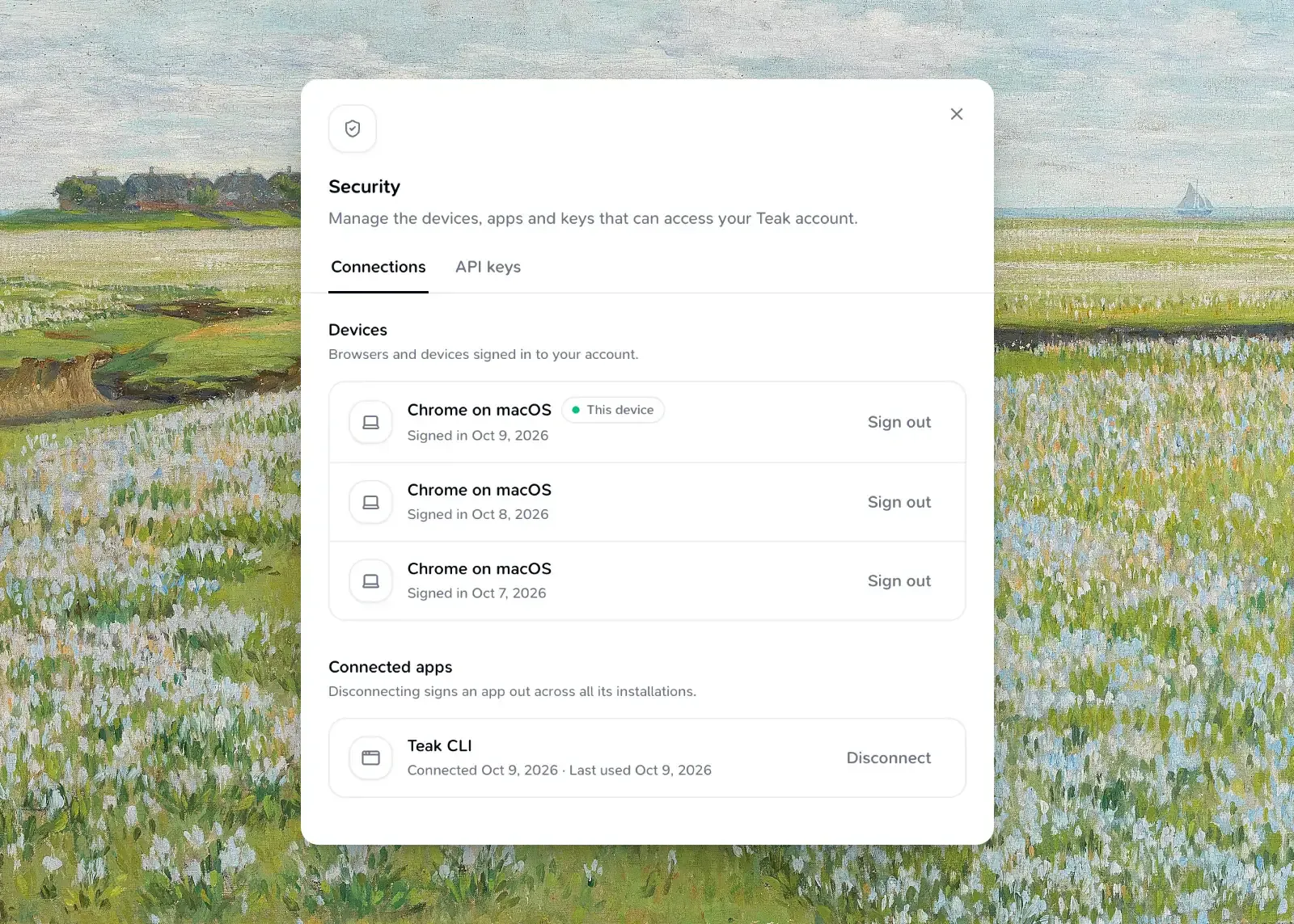
teak logoutteak logout revokes browser sign-in and disconnects every CLI installation; reconnecting can take about five minutes. If the saved sign-in has already expired, logout clears only this device and says so — disconnect other installations in Settings → Security → Connected apps. If the network fails, credentials stay saved; run teak logout again before signing in so Teak can revoke the previous session. API keys are unaffected.
Credentials are stored separately for each API deployment, so local development cannot use or clear your production sign-in. With --api-url or TEAK_API_URL, teak login asks for the resources that deployment advertises: https://teakvault.com/api in production, or the deployment’s own /api resource, such as https://<deployment>.convex.site/api for development.
SDK token providers
The teak-sdk package’s TokenProvider.onUnauthorized(rejectedToken: string) receives the access token
used by the request that returned 401. Return a refreshed or newer stored token
to retry that request once, or null to stop. Compare the rejected token with
the current session before refreshing; a late response may refer to an older token.
The client covers every API endpoint: cards.list, search, favorites (with trashed, archived, style, hue, and hex filters), get, create, update (including removeAiTags), setFavorite, setArchived, delete (pass { permanent: true } to skip Trash), restore, refresh, duplicate, bulk, and changes, plus tags.list, uploads, me, and exports.start / exports.latest. Pass { idempotencyKey } to cards.create or cards.bulk to make retries safe. Errors are TeakApiErrors with a code, status, retryAt, and the response’s requestId.
The SDK also includes the WorkOS Connect sign-in steps that the CLI, Raycast, and
browser extension use: randomBase64Url and createPkceChallenge for PKCE,
createConnectAuthorizeUrl, requestConnectTokens for code and refresh grants,
fetchConnectOwnerId, and disconnectConnectGrant. Use the client ID that
discoverAuthServer returns for your surface. requestConnectTokens returns
refresh_token_rejected only when WorkOS says the refresh token is no longer valid;
treat other failures as temporary and keep the saved sign-in.
Commands
teak add "A note from the terminal" --tags research
teak add --url https://example.com --tags research,web
teak add --file ./screenshot.png --notes "Inspiration" --tags inspiration
teak add --file ./component.tsx --tags source
teak ls
teak search "blue buttons"
teak cards get <card-id>
teak open <card-id>
teak download <card-id> -o ./poster.png
teak cards update <card-id> --title "Homepage ideas" --tags design,reference
teak tags add <card-id> inspiration
teak tags rm <card-id> inspiration
teak fav <card-id>
teak rm <card-id>
teak trash
teak restore <card-id>
teak archive <card-id>
teak unarchive <card-id>
teak refresh <card-id>
teak tags
teak add also accepts a bare URL or file path as the positional argument (for
example teak add https://example.com) — the CLI detects whether it’s text,
a URL, or a file. Use --url / --file when you want to be explicit or when
scripting. Text given with --url (for example
teak add "Read before Friday" --url https://example.com) is saved with the
link as the card’s content.
File uploads support the same formats as the web app (source files, Markdown and MDX, ZIP archives, documents, images, audio, and video — see Features), up to 100 MB. .md and .markdown files become editable text cards, must be valid UTF-8, and are limited to 512 KiB; .mdx remains a document.
Like the web composer, Teak works out the card type from what you add: a URL becomes a link, text in quotation marks becomes a quote, and a list of colors becomes a palette. Pass --type text (or quote, palette, …) to choose. Structured Markdown always stays a text card and is stored exactly as submitted, including from standard input. Text cards have a 512 KiB UTF-8 limit.
teak cards get shows the card’s title, notes, tags, Teak’s AI tags and summary, colors, file, transcript, and a link to open it on the web. teak open opens that link in your browser (on a machine without one, it prints the link instead), and teak download saves a file card’s original file (--force replaces an existing file).
teak refresh refreshes one or more cards: it clears their summaries, tags Teak added, and transcripts and processes them again, including link previews. It returns right away; check the result later with teak cards get. You can refresh a card once a minute, and up to six cards a minute.
teak tags add and teak tags rm change one card’s tags without retyping the rest. teak tags rm also removes tags Teak added. teak cards update --tags replaces the card’s own tags, and --content - reads the new content from standard input.
Trash
teak rm moves cards to Trash, and teak restore brings them back. teak trash lists what’s there; Teak empties it after 30 days. teak rm --permanent deletes for good: it asks first in a terminal, and needs --yes in scripts.
Both commands accept several card IDs and try every one, even if some fail. They list the IDs that failed and why (in a failed array with --json) and exit with a non-zero code if any did.
Archive
teak archive hides cards from your library without deleting them, and teak unarchive brings them back. teak ls --archived lists archived cards. Like teak rm, both accept several IDs and report the ones that failed.
Filter and page through cards
teak ls, teak search, teak trash, and teak cards favorites accept the same filters as search on the web:
| Option | Filter |
|---|---|
--type <type> |
Card type. Repeat to match any of several. |
--tag <tag> |
Exact tag |
--favorited / --trashed / --archived |
Favorites only / Trash only / Archive only |
--style <style> |
Visual style, such as minimal or vintage. Repeatable. |
--hue <hue> |
Color family, such as blue or neutral. Repeatable. |
--hex <color> |
Exact color, such as #112233. Repeatable. |
--date <phrase> |
When it was saved: today, last week, march 2026, 2026-01-01 to 2026-02-01 |
--created-after / --created-before |
Millisecond timestamps |
--sort newest|oldest, --limit, --cursor |
Order and paging |
--include content,metadata,processing |
Extra fields (content by default) |
--all |
Fetch every page |
teak ls --type image --type link --hue blue --date "last month"
teak search "homepage" --tag design --all --json > cards.json
Export
teak export -o teak-backup.zipteak export starts a ZIP export of every card and original file, the same as the web’s export. Add --wait to wait for it, or -o to wait and save the ZIP. teak export status shows progress, and teak export download saves the latest ready export. You can start one export every 7 days.
Sync and bulk edits
teak cards changes --since 1767225600000 --json
teak cards bulk update --input updates.json
teak cards changes returns cards changed since a millisecond timestamp, plus the IDs of deleted cards with --json. teak cards bulk runs create, update, favorite, delete, restore, archive, unarchive, addTags, or removeTags on up to 100 items, read from --input or standard input as a JSON array or an {"items": [...]} object. Items use the same shape as the API’s bulk endpoint. The output lists each item’s card ID or error, and the command exits with a non-zero code if any item failed.
Global options
| Option | Purpose |
|---|---|
--json |
Machine-readable output |
--api-key <key> |
Use an API key for this command (same as TEAK_API_KEY) |
--api-url <url> |
Point at another API, such as a self-hosted or development deployment (same as TEAK_API_URL) |
Getting help
Run any command with --help to see available options:
teak --help
teak add --help
teak search --help
Output Format
By default, commands print human-readable output. Add --json to any command for machine-readable JSON, useful for piping into jq or other tools:
teak search "buttons" --json | jq '.items[].url'Troubleshooting
teak: command not found
- Confirm the package installed globally:
npm ls -g teak-cli - Make sure your npm global bin directory is in your
PATH.
Login opens the browser but never completes
- Check your internet connection.
- Try again in case the local callback port was already in use.
- As a fallback, use
TEAK_API_KEYwith a key from Settings.
Commands return "Unauthorized"
- Run
teak loginto refresh your session. - If using
TEAK_API_KEY, confirm the key is still active in Teak Settings.
Still stuck?
Reach out via Support.