Small Teak features most people never find
Keyboard shortcuts, search words, and quiet ways to save from anywhere that make Teak faster once you know they're there.
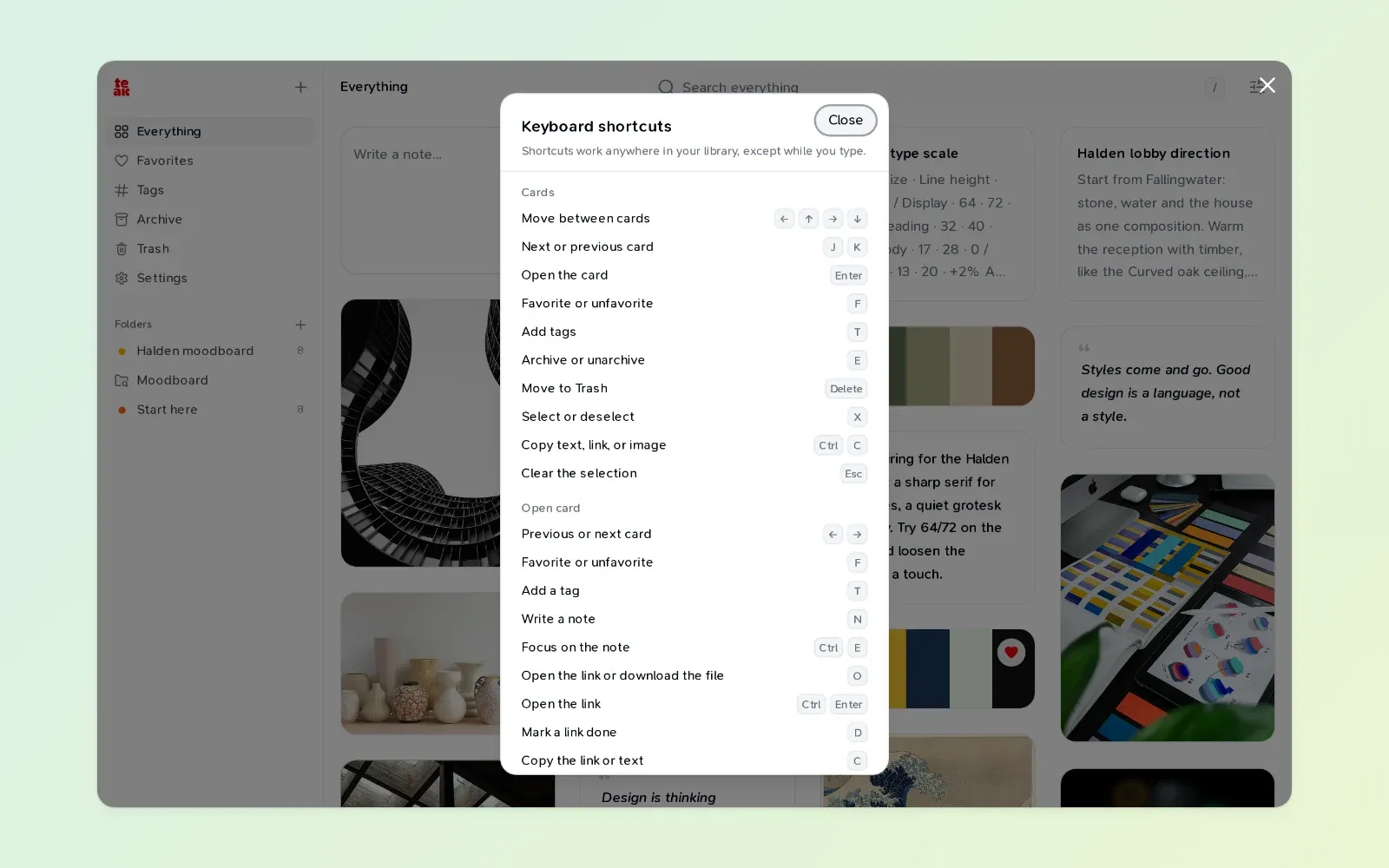
Some of my favorite parts of Teak don’t have a button. Here are the ones I use every day, starting with the one that shows you the rest.
In the web app
Press ? anywhere in your library to see every keyboard shortcut. A few worth learning first:
/jumps to search.⌘K(Ctrl+Kon Windows and Linux) opens the command palette.JandKmove between cards, andEnteropens one.Ffavorites the focused card,Tadds a tag, andEarchives it.Xselects cards, so you can act on several at once.GthenFgoes to Favorites.GthenEgoes back to Everything.A,TandSafterGgo to Archive, Trash and Settings.- In an open link,
Dmarks it read, watched or done, andRswitches between the page preview and Teak’s reader.
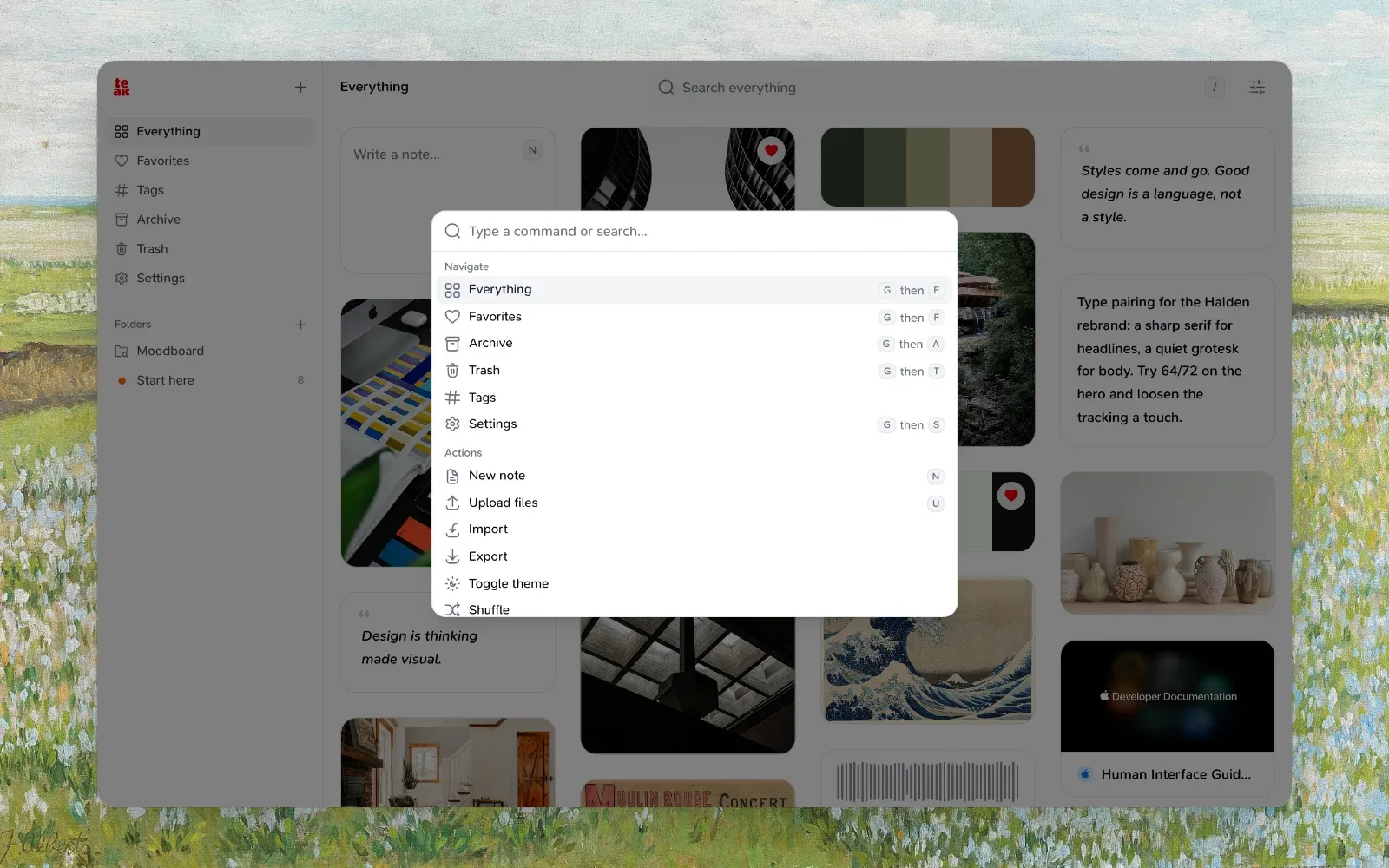
Type a place into search. fav, archive or trash in the search box opens that page. Type it again to go back.
Backspace removes a filter. In an empty search box, Backspace removes the last filter pill, so you can peel a search back one step at a time.
Paste many links at once. Paste a list of links, one per line, and Teak saves each as its own card, up to 100 at a time.
Tables in notes. Type /table in a note for a table with a header row. Tab moves to the next cell.
Undo in Revisit. Archived the wrong card while tidying in Revisit? Press Z.
Searching
Find what’s left to read. is:todo lists the articles, films, products and recipes you haven’t marked done. Save it as a smart folder and you have a reading list that empties itself.
Search the words in images. text:"total due" finds a receipt by what’s printed on it.
Hide cards without deleting them. Tag a card secret or hidden and it leaves your library and search until you search for that tag.
In the browser
A keyboard shortcut to save. Alt+Shift+S (⌥⇧S on a Mac) saves the page you’re on in Chrome or Firefox, without opening the popup.
Search from the address bar. Type teak, press Space, then what you’re looking for. Your top matches appear as suggestions, before you’ve opened Teak at all.
Already saved? The toolbar icon shows a check when the page you’re on is already in your library.
Without opening Teak
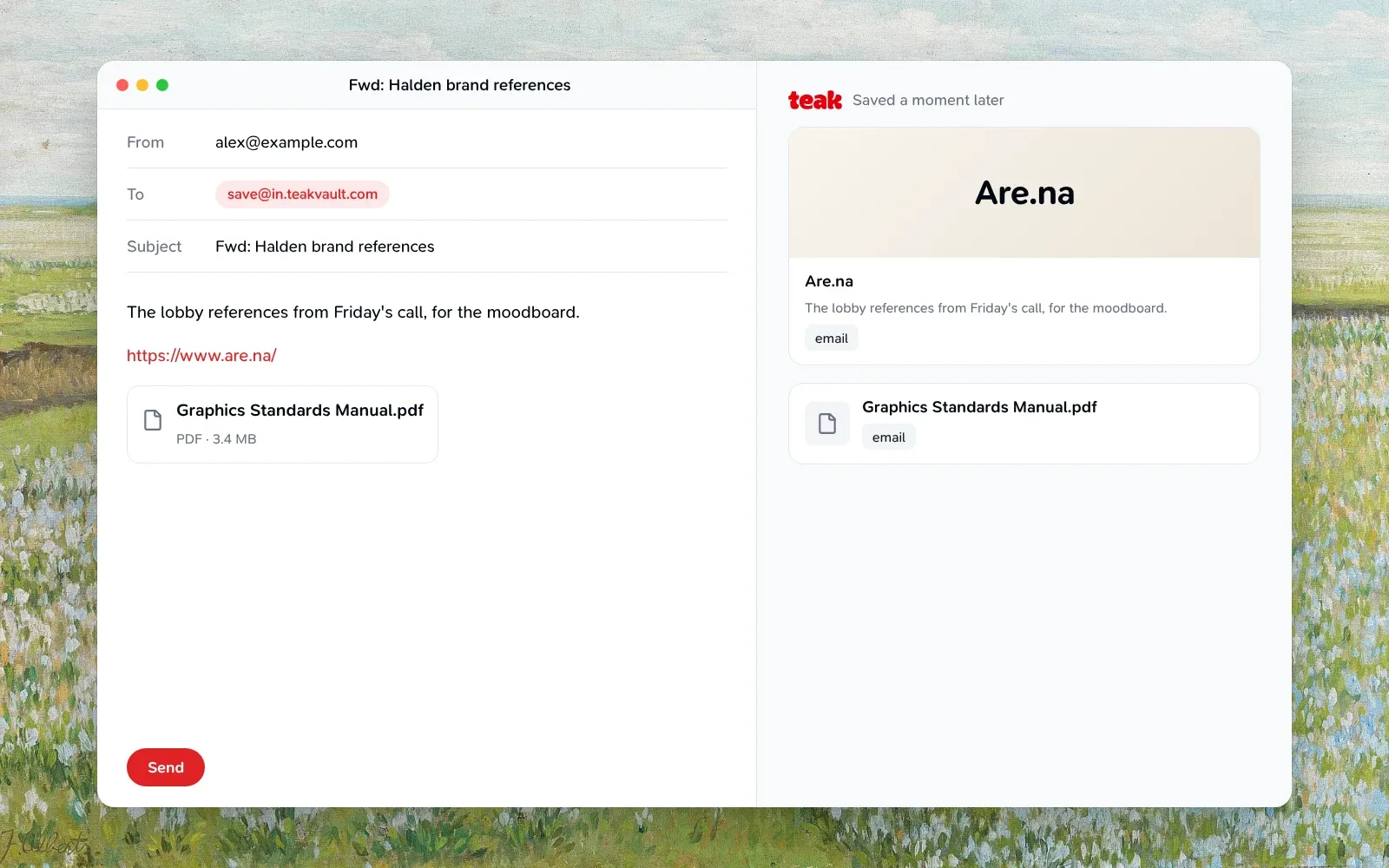
Save by email. Turn on Settings → Integrations → Save by email, then forward anything to [email protected] from your sign-in address. A link becomes a link card, attachments become their own cards, and everything is tagged email.
Quick Capture on the Mac. Turn on the Quick Capture shortcut in the Mac app’s settings, and ⌃⌥⌘T opens a small window over any app for a note or a link. Save to Teak in the Services menu works on selected text, images and files.
Shortcuts and Siri on iPhone. Teak’s actions are in the Shortcuts app, so “Search Teak” works by voice, and you can put New Note on the Action button or in Control Center.
Raycast. Random Cards brings back 20 shuffled cards from your library without leaving the keyboard.
Share to the web app. Install Teak from Chrome on Android or ChromeOS and it shows up in the system share sheet.
If you have a favorite I missed, tell me on X. The full list lives in the features guide.